⚙️ Appointment Upgrades
Customers can now book multiple spots at once for an appointment, plus ability to allow overlapping bookings for staff members.
Book Multiple Appointment Spots at One Time
Customers now have access to booking themselves and their friend(s) into an appointment all within one transaction! This new capability allows customers ensure that their friends or family members are booked into the same appointment with them and creates easy and efficient booking for a group, versus needing each individual to book separately.
This new feature is automatically live for any appointment service allowing for more than one customer at a time. When a customer is booking they will see the below option, allowing them to book all or multiple slots within an appointment time.
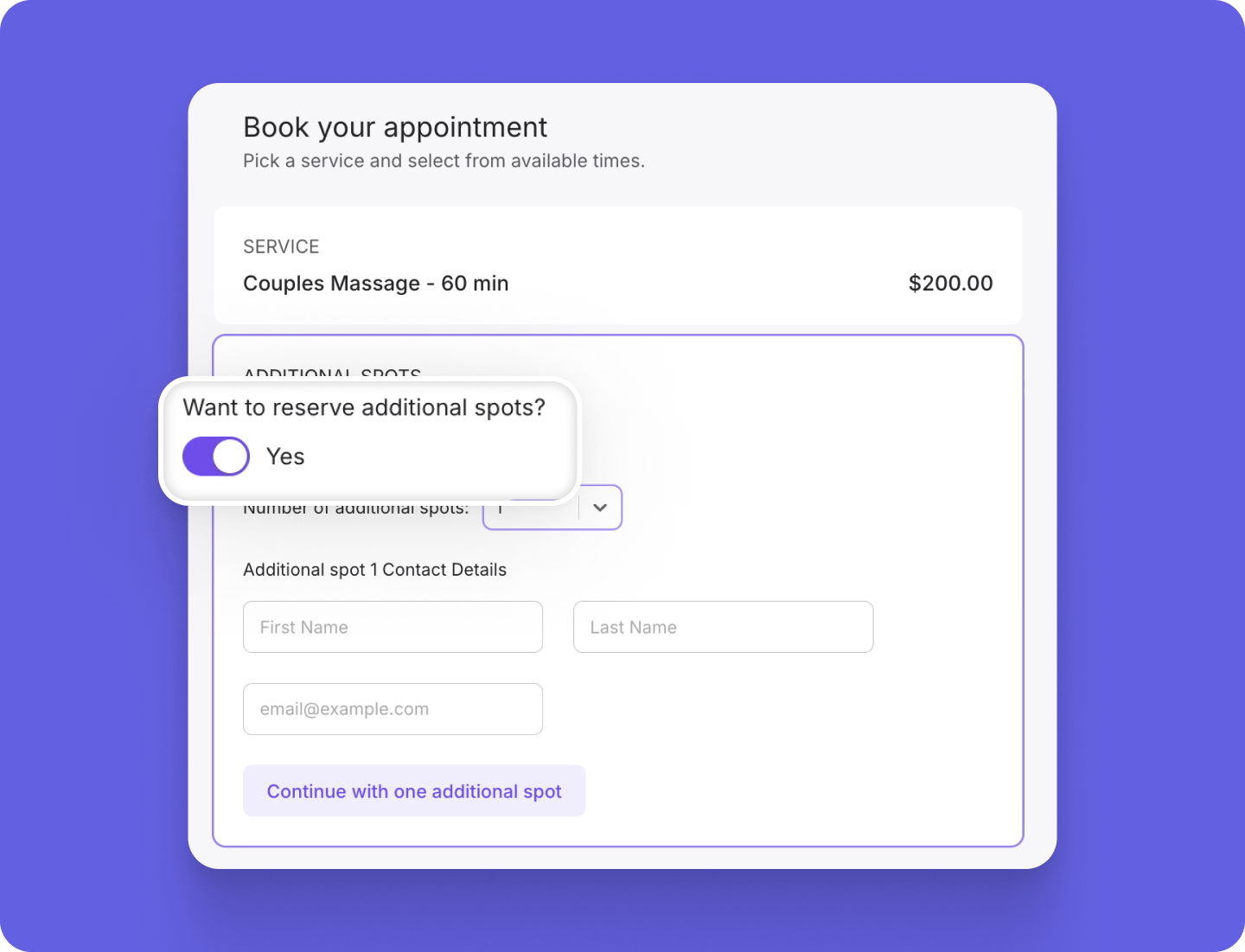
Note that, if the customer has a membership that includes guest passes for the service they are booking, they will be able to book themselves and the guest using their membership. Otherwise, they will not be able to use their membership if booking multiple spots.
Allow Overlapping Bookings for Staff
We recognize that some appointment services don’t actually require that the practitioner be there the entire time, making it can be beneficial to allow for overlapping appointments for for certain offerings. For example, let’s say you offer acupuncture services, but know that it only takes you ~15 minutes to put the needles in, and then you allow the customer to lay and relax for 45 minutes before removal. With this example, it makes a lot of sense to book multiple customers within the hour so that you can serve multiple people within that downtime.
Which is why we are excited to announce the new ability to enable overlapping appointments by staff! This new setting is an option per appointment board so that you can turn it on for the service categories where it makes sense and keep it off for others. However, if you would like to turn it on for all appointments you can do so under Settings > Appointment settings > Overlapping.
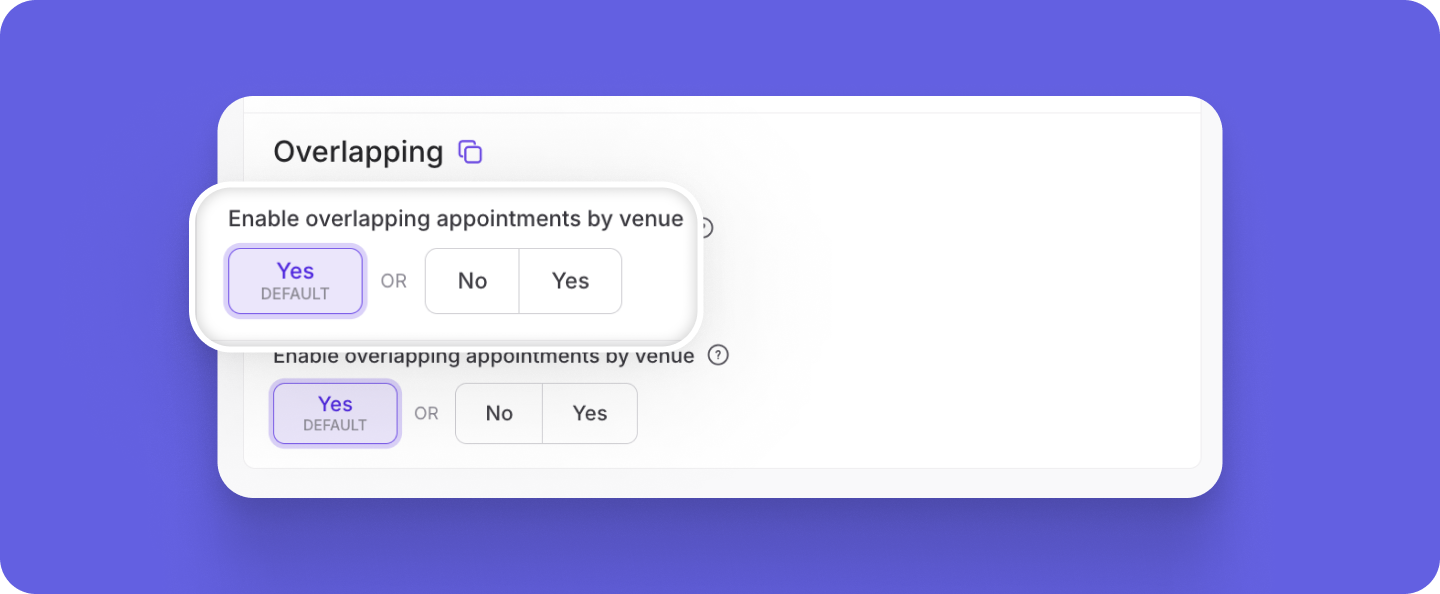
Want some extra knowledge about this feature and/or other new releases? Join one of our Q&A: Marketing and New Feature Releases webinars happening twice weekly.
Want to learn more about this and other great Momence features? Check out our FAQ page or book a demo today.
Already a Momence user and want to know more?
💜,
The Momence Team